Why Is My 3d Holographic fan Not Working
Holographic Fan Troubleshooting: Complete Guide to Restoring Optimal Performance
You've carefully set up your holographic fan, anticipating the impressive display of 3D animations or promotional videos. However, when you power on your 3D holographic fan, it either fails to start, spins weakly, flickers persistently, or shows distorted images. This frustrating experience is more common than you might think. While these innovative devices represent cutting-edge technology, your 3D fan can occasionally encounter technical issues just like any electronic device. The good news? Most problems with your holographic fan have straightforward solutions. Let's systematically troubleshoot common failures and restore your 3D holographic fan to its optimal performance.
Step 1: Comprehensive Power & Connection Verification
More than half of all holographic fan malfunctions originate from basic power-related issues:
Power Adapter Inspection:
→ Ensure all connections are secure at both the holographic fan unit and power outlet
→ Verify adapter LED status indicators (standard on Lumina and similar 3D holographic fan models)
→ Test the electrical outlet with another device to confirm functionality
Cable Integrity Check:
→ Thoroughly examine all cables for kinks or physical damage
→ Confirm all plugs fit securely in their respective ports on your 3D fan
→ Consider replacement cables from authorized suppliers like HoloFex
Alternative Power Testing:
→ Swap with compatible 12V/2A adapters (the universal standard for most holographic fan units)
Note: Most "holographic fan not working" scenarios resolve at this fundamental stage
Step 2: Software & Settings Diagnosis
If your 3D holographic fan powers on but fails to display content correctly:
Connectivity Solutions:
→ Maintain Bluetooth/Wi-Fi range within 30 feet for optimal 3D fan performance
→ Utilize built-in connection testers available in Dasqi and similar holographic fan applications
→ Simultaneously restart both application and holographic fan (resolves most synchronization issues)
→ Regularly update your 3D holographic fan application to access latest bug fixes
Content Compatibility Verification:
→ Utilize standard 928×928 resolution (optimized for HoloFex HF-200 and comparable 3D fan models)
→ Stick to compatible formats: .mp4 for videos, .jpg for images (avoid .mov files)
→ Ensure proper 3D model slicing using dedicated software like Lumina Studio
Step 3: Hardware Component Inspection
When software diagnostics don't resolve your holographic fan issues:
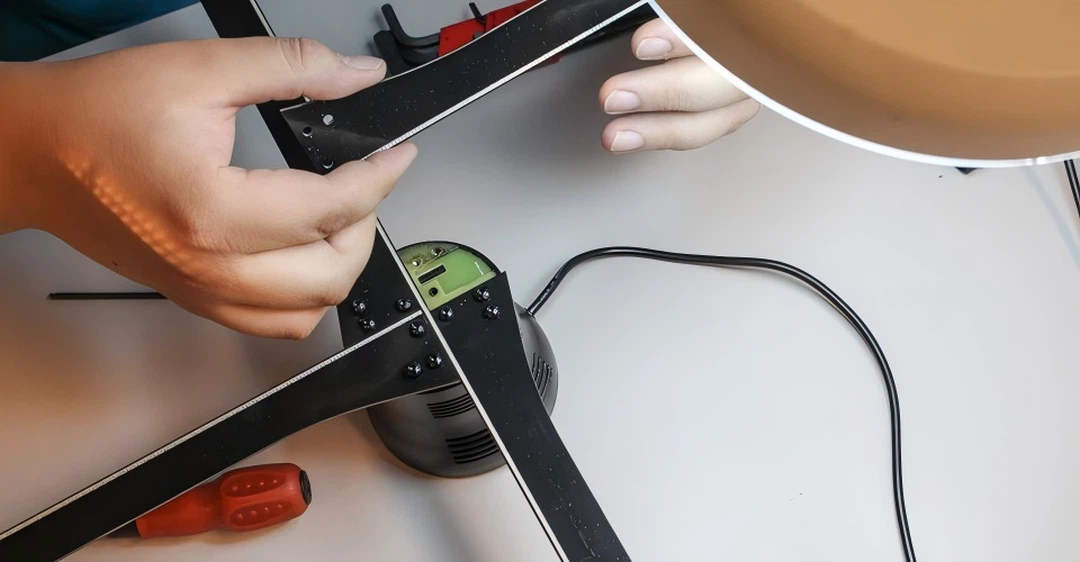
LED Blade Maintenance:
→ Always power off and unplug your 3D holographic fan before cleaning
→ Gently clean LED blades using specialized microfiber cloths
→ Carefully remove debris with tweezers (dust accumulation commonly causes flickering)
Motor Performance:
→ Allow adequate cooling time if your 3D fan shows overheating symptoms
→ Implement automated timers through fan applications to prevent overheating
→ Contact manufacturers immediately for unusual grinding noises
Sensor Calibration:
→ Regularly clean light and motion sensors (typically small dots on the base)
→ Disable auto-brightness features in bright environments for consistent 3D holographic fan performance
When to Seek Professional Holographic Fan Support
If your 3D fan issues persist after exhaustive troubleshooting:
Warranty Activation:
→ Most holographic fan manufacturers offer 1-2 year warranties (verify purchase date)
→ Document issues with video evidence for streamlined support
Technical Support Consultation:
→ Always contact original manufacturers for 3D holographic fan repairs
→ Avoid unauthorized third-party repair services
Proactive Maintenance:
→ Monthly cleaning prevents approximately 80% of common holographic fan issues
→ Regular software updates maintain optimal 3D fan performance
Essential Troubleshooting Sequence:
Power Verification → Software Diagnosis → Hardware Inspection → Professional Support
Most holographic fan failures resolve during initial power verification. Reconnect your 3D holographic fan, reload your content, and return to delivering captivating visual experiences that highlight the impressive capabilities of your display technology.
What Is The Principle Of Holo Led Fan
Do 3D Hologram fan Require Special Software