how to convert battery to usb
How to Convert Batteries to USB Power: A Practical Guide
In today's world, USB charging has become a must-have in our daily lives. From smartphones and tablets to various small electronic devices, the USB port is nearly everywhere. But what happens when you have a collection of batteries—like AA, AAA, or even button cells like CR2032—that can't directly power USB devices? Thankfully, with the right tools and adapters, it's easier than ever to convert these traditional batteries into USB power. In this guide, we'll walk you through practical, user-friendly methods to convert different types of batteries to USB power.
1. AA Battery to USB Converter
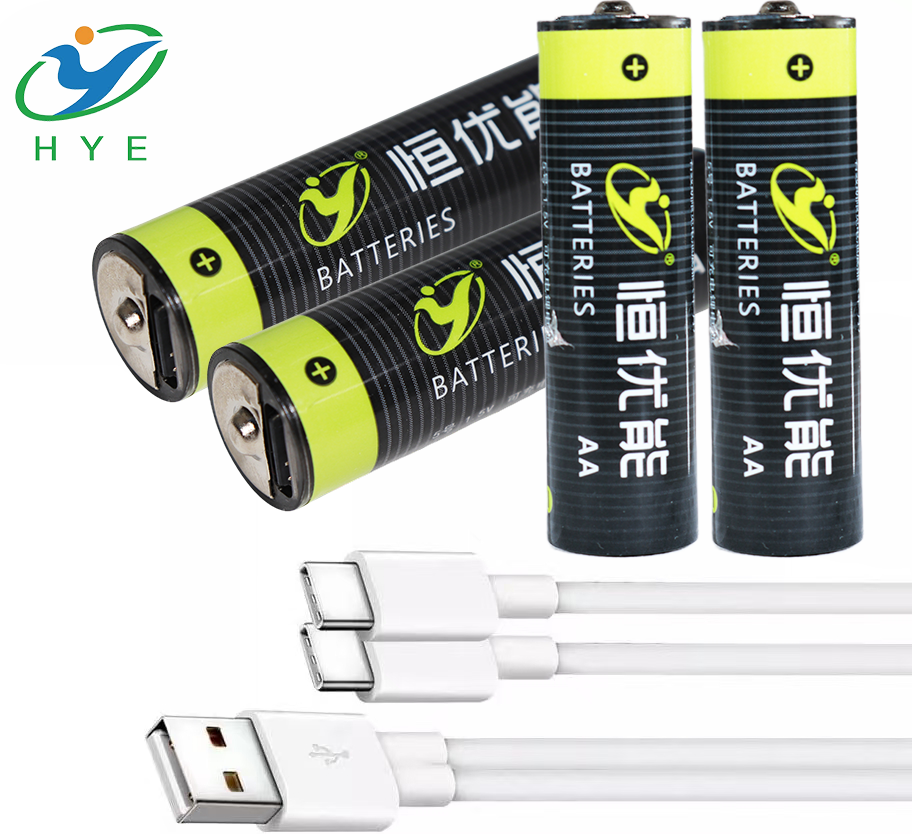
AA batteries are some of the most commonly used batteries in household items like remote controls, flashlights, and toys. You might be wondering, “Can I use AA batteries to power a USB device?” The answer is yes! There are many AA battery to USB converters available on the market that can take multiple AA batteries and convert their power to a USB port.
These converters work by increasing the battery voltage to 5V, making it compatible with USB-powered devices. This means you can conveniently use AA batteries to power small devices, and in some cases, even charge your phone. If you’re looking for a simple solution to use your AA batteries for USB power, an AA battery to USB converter is a great choice.
2. How to Convert 4 AA Batteries to USB Power
If you have four AA batteries and want to convert them to USB power, you need to understand a bit about battery voltage and current. Four AA batteries in series will give you a total voltage of 6V, while USB ports typically require 5V for operation. To convert the 6V down to 5V, you'll need a 4 AA battery to USB adapter.
These adapters are designed to lower the voltage to a stable 5V, ensuring that your USB devices receive the correct power. With a well-designed 4 AA battery to USB converter, you can easily use AA batteries to power various USB devices, such as small electronics or portable chargers.
3. Converting 3 AAA Batteries to USB
AAA batteries are another common type, often used in smaller devices. A single AAA battery provides 1.5V, so if you connect three AAA batteries in series, you get 4.5V, which is slightly lower than the required 5V for USB devices. However, by using a 3 AAA battery to USB adapter, you can convert the power to a stable 5V for USB devices.
These adapters are simple to use and can be especially useful for powering low-power USB gadgets. By using the right 3 AAA battery to USB converter, you can convert your AAA batteries into a convenient and reliable USB power source.
4. Using a 12V Battery to USB Adapter
12V batteries are commonly used in car batteries, larger household devices, and certain power tools. If you want to use a 12V battery to power a USB device, you’ll need a 12V battery to USB adapter. These adapters are designed to step down the 12V voltage to the 5V required by USB devices.
One of the advantages of using a 12V battery to USB converter is that 12V batteries typically have a higher capacity, which means you can power multiple USB devices at once or keep a device running for longer periods. If you’re looking to use a 12V battery as a USB power source, these adapters are the solution.
5. Converting Battery-Powered LED Lights to USB
Many LED lights are powered by batteries, especially portable or emergency lights. To make these LED lights more convenient, you can use a battery to USB charger to convert the battery power to a USB power source. This way, instead of constantly replacing batteries, you can recharge the lights via USB.
A battery to USB charger can work with a variety of battery types, including AA, AAA, and even larger batteries. These chargers typically come with safety features like overcharge protection, so you don’t have to worry about damaging your LED lights or other devices.
6. Converting CR2032 to USB Power
CR2032 batteries are commonly used in small electronic devices like watches, calculators, and key fobs. These batteries provide 3V of power, but converting them to USB power is a bit trickier since USB requires 5V. However, by using a specialized CR2032 to USB adapter, you can boost the voltage to the required level.
While not as common as AA or AAA battery converters, CR2032 to USB adapters are available for small, low-power USB devices. These adapters use a voltage-boosting technique to ensure that the power from the CR2032 battery is sufficient for USB devices.
7. Choosing the Right Battery Converter
When selecting a battery converter, it’s important to consider a few key factors:
- Battery Type: Make sure the converter is compatible with the type of battery you’re using (AA, AAA, 12V, CR2032, etc.).
- Voltage Conversion: Ensure the converter steps down or steps up the voltage to the standard 5V required for USB devices.
- Output Current: Look for a converter that provides enough current to power your USB device. Some devices require higher currents, so make sure the adapter can meet those needs.
Additionally, choose converters with built-in protection features, such as overcharge protection and short-circuit protection, to ensure safety during use.
Conclusion
Whether you need to charge mobile devices with AA cells, transform a 12V power source into USB-compatible energy for bigger electronics, or energize compact devices through CR2032 coin batteries, multiple options exist. Specialized USB power adapters enable nearly any battery type to become a versatile charging resource for USB-compatible gear, offering both adaptable energy solutions and sustainable power alternatives. The techniques described in this resource empower users to transform conventional batteries into dependable USB energy supplies. This approach enhances convenience while reducing reliance on single-use power solutions. From emergency situations to innovative battery reuse projects, creating customized USB power systems represents both a functional energy strategy and an environmentally conscious practice.
how to make a usb battery charger
how to convert battery operated to usb