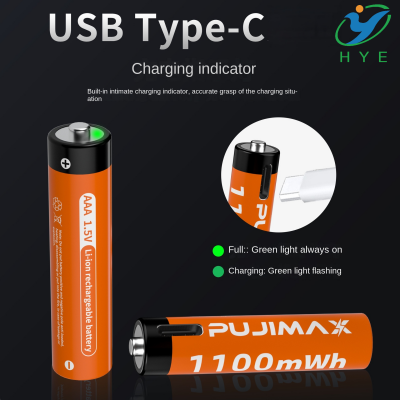
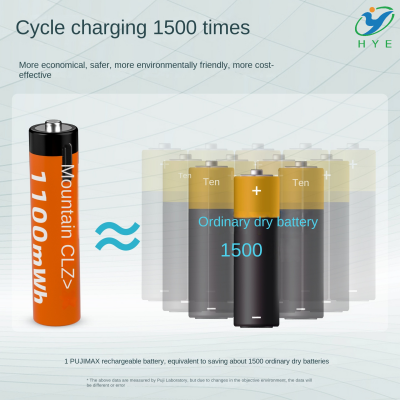
how to convert battery operated to usb

How to Convert Battery Operated Devices to USB Power: A Complete Guide
In today’s world, where convenience and sustainability are paramount, many people are shifting towards rechargeable and reusable solutions. A common challenge, however, is the reliance on traditional AA batteries for powering devices. While AA batteries have served us well for decades, they are not the most eco-friendly or cost-efficient option in the long run. In this guide, we’ll explore how you can easily convert your battery-operated devices to be powered via USB, giving them a new lease on life and reducing the waste caused by disposable batteries.
Why Convert from AA Batteries to USB?
Before we jump into the technicalities of the conversion process, let's address the "why." The main reasons to switch from AA batteries to USB power include:
- Cost Savings: Over time, constantly purchasing AA batteries for your devices can add up. USB charging, on the other hand, only requires a one-time investment in rechargeable batteries or a USB charger.
- Environmental Impact: Disposable batteries are a significant contributor to environmental pollution. By switching to USB-powered devices, you’re reducing the amount of e-waste and battery waste that ends up in landfills.
- Convenience: With USB charging, you can charge your devices almost anywhere using a USB charger, power bank, or even a laptop. Plus, USB charging is faster and more efficient compared to traditional battery replacement.
- Sustainability: USB-powered devices are often equipped with built-in rechargeable batteries, making them more sustainable in the long run.
How to Convert Your AA Battery Operated Device to USB Power
Converting your AA battery-powered device to USB charging is easier than you might think. With just a few simple tools and some basic knowledge of electronics, you can turn your battery-dependent devices into USB-friendly gadgets. Here's how to do it:
Step 1: Understand the Power Requirements of Your Device
The first step is to determine the power requirements of the device you want to convert. Most AA-powered devices operate at 1.5V, which is the standard voltage for AA batteries. When converting to USB power, you need to ensure that the device receives the appropriate voltage.
USB power typically comes in two types:
- USB-A: The standard USB port that delivers 5V.
- USB-C: A more modern and versatile port that also delivers 5V but with faster charging capabilities.
If your device runs on AA batteries that provide 1.5V, you’ll need a voltage regulator to step down the USB power from 5V to 1.5V. A simple step-down converter can do this, and it will ensure that your device gets the correct amount of voltage without damaging its internal components.
Step 2: Acquire the Necessary Tools and Components
Here’s a list of components you’ll need:
- USB-C Cable (or USB-A, depending on your preference)
- Voltage Regulator (to step down from 5V to 1.5V)
- Rechargeable Lithium-Ion or Lithium-Polymer Battery (if your device doesn’t have one built-in)
- Battery Holder (if your device uses a removable AA battery pack)
- Soldering Tools (for connecting wires)
- Heat Shrink Tubing or Electrical Tape (to insulate exposed wires)
Step 3: Disassemble the Device and Identify the Battery Compartment
Carefully open the device, being mindful of any clips, screws, or locks. Once inside, locate the battery compartment. You’ll want to remove the AA battery holders or battery terminals to make room for your USB-C charging system. If your device is wired directly to the battery pack, you can carefully detach these wires for later reattachment.
Step 4: Integrate the USB Power Source
Now comes the fun part—integrating the USB power source into the device. Take the USB-C cable and cut off the connector that plugs into your phone or laptop. Strip the wires to expose the positive and negative terminals (usually red for positive and black for negative). You’ll need to connect these wires to the voltage regulator.
At this point, the AA battery to USB-C conversion process starts to take shape. Attach the positive and negative wires from the USB cable to the corresponding input terminals on the voltage regulator. Set the output terminals of the voltage regulator to deliver 1.5V (or the appropriate voltage for your device).
Step 5: Connect the Regulator to the Device
Next, connect the output of the voltage regulator to the device’s battery compartment. This is where your soldering skills will come in handy. Solder the positive and negative wires from the regulator to the battery terminals inside your device. If your device uses a removable AA battery holder, you can bypass the holder entirely and directly connect the wires to the battery terminals.
Once everything is wired up and secure, double-check your connections to ensure they’re solid and insulated. Use heat shrink tubing or electrical tape to prevent any exposed wires from short-circuiting.
Step 6: Final Testing and Assembly
Before sealing everything up, it's time to test your device. Plug in your USB-C cable to a USB charger or power bank and see if the device powers on correctly. If it works, great! If not, double-check your connections, especially the voltage regulator and the battery terminals.
Once you’re satisfied that everything is functioning as expected, carefully reassemble your device, ensuring that all wires are tucked in securely and the USB port is accessible for charging.
Advantages of Converting to USB Charging
After successfully converting your AA battery-powered device to USB charging, you’ll enjoy several key benefits:
- No More Constant Battery Replacements: You’ll no longer need to buy AA batteries repeatedly. Simply plug in your device and charge it like any modern USB-powered gadget.
- Convenience with USB-C: USB-C offers faster charging speeds and a more versatile connection compared to older USB-A connectors. Devices like the Anker PowerCore III Sense 20K USB-C Portable Battery Charger can charge multiple devices on the go, and now you can take advantage of that convenience for your old AA battery devices.
- Cleaner and Greener: By switching to USB charging, you’re helping reduce the environmental impact caused by disposable batteries with a USB port, promoting a cleaner planet for future generations.
Final Thoughts
Converting your AA battery USB-C devices not only saves you money but also contributes to a more sustainable way of powering your gadgets. While this DIY project requires a bit of effort, the results are well worth it—especially when you realize the long-term cost savings and environmental benefits.
If you’re looking to make a larger-scale transition from disposable batteries to USB rechargeable solutions, there are a wide variety of battery chargers with USB options available. Whether you’re looking for a battery charger USB for personal use or for multiple devices, the switch to USB charging is the way of the future.
In conclusion, by replacing your old AA battery systems with USB charging, you’re making your devices more modern, efficient, and eco-friendly. Why settle for old-school batteries when USB-C is the future?
how to convert battery to usb
how to convert battery operated devices to usb