how to connect usb charger to car battery

How to Connect a USB Charger to a Car Battery: A Step-by-Step Guide
In today's world, the ability to power your devices on the go is more important than ever. Whether you're on a road trip, stuck in traffic, or need to charge your phone during an outdoor adventure, a reliable power source is essential. Connecting a USB charger to a car battery can be a game-changer, especially when you’re far from traditional power outlets.
Understanding the Basics
Before diving into the how-to, let's first clarify what we mean by connecting a USB charger to a car battery. In essence, you’re using your car’s battery as a power source to charge your devices via a USB charger. While your car’s battery isn’t designed specifically for USB charging, with the right tools and setup, it can easily serve as an alternative power source.
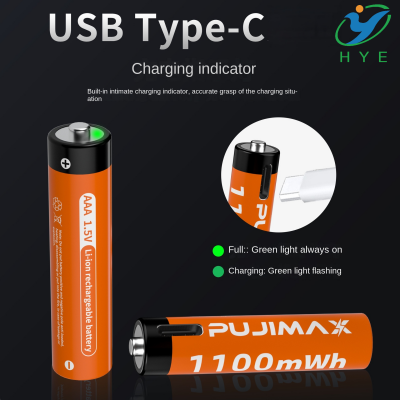
Typically, a battery pack with USB port or battery powered charger USB is a solution that allows you to charge devices without relying on wall outlets. These handy devices convert the DC power from the car battery into a format that is compatible with your USB-powered devices.
Tools You’ll Need
-
Car Battery to USB Adapter
This is the most crucial piece of equipment. The adapter will allow you to convert your car's 12V DC power to a safe USB output that can power devices. -
Battery Powered USB Hub
A battery powered USB hub is a great option if you need to charge multiple devices at once. These hubs typically have multiple USB ports and can handle the demands of charging more than one device simultaneously. -
USB Charger or Power Bank
If you don’t want to directly connect devices to your car’s battery, you can use a battery powered USB hub or a battery pack with USB port. This portable solution stores power and can be recharged either via the car’s battery or through an external power source.
How to Connect the USB Charger to a Car Battery
Step 1: Ensure Safety
Before anything else, make sure you take the necessary safety precautions. Disconnect any sensitive devices from the car battery to prevent damage. If you’re using a car with an older battery, it’s best to double-check the health of the battery to ensure it’s able to handle the power draw without issue.
Step 2: Use a USB Charger Adapter
Purchase a battery to USB converter. This device is designed specifically for this kind of task. Plug the adapter directly into the car’s cigarette lighter or 12V socket. These adapters are widely available and can convert your car’s DC output into a standard USB port.
Step 3: Connect the USB Charger
Now, plug the USB charger into the adapter. You can use a regular battery powered charger USB to charge your phone or any USB-enabled device. Some adapters may come with additional features such as multiple ports, so you can charge several devices at once.
Step 4: Monitor the Charging Process
Once connected, it’s important to monitor the charging progress. It’s easy to overcharge, which could damage your battery. Most battery powered USB hubs and battery with USB port systems are designed to prevent overcharging, but it’s still best to keep an eye on things.
Step 5: Disconnect Once Charged
Once your device is fully charged, safely disconnect the USB charger. Leaving the charger plugged in for too long can slowly drain your car’s battery. If you’re using a battery powered charger USB, this step is even easier, as these devices typically have built-in features to stop charging automatically when the device is full.
Alternative Solutions: The Best USB C Battery Pack for Your Car
If you find yourself constantly on the move and charging devices from your car, it’s worth investing in a best USB C battery pack. These compact, powerful packs allow you to store energy and charge your devices without needing to connect directly to the car battery.
Some advanced battery powered charger USB devices also feature a USB-C connection, which is fast becoming the standard for charging modern devices. With higher power capacities and fast-charging technology, these packs ensure your devices stay charged even during long drives.
Why Use a Battery Powered USB Hub?
A battery powered USB hub is a fantastic option for road warriors or outdoor enthusiasts who need to charge multiple devices at once. Whether it's phones, cameras, or portable speakers, a battery to USB solution ensures all of your tech stays powered.
Top Features of a Battery Powered USB Hub:
- Multiple USB Ports: Ideal for charging several devices simultaneously.
- Portability: Compact and easy to carry, perfect for road trips.
- Energy-Efficient: Smart charging technology to optimize power usage.
Canon Battery Charger USB
For camera enthusiasts, connecting your Canon battery charger USB to your car's power system can be a lifesaver, especially during long trips. Many car adapters can handle the power requirements of devices like camera chargers, ensuring that you can capture all those important moments without worrying about running out of battery.
In Conclusion: Charging on the Go Made Easy
Connecting a USB charger to your car battery is not only practical but essential for those who rely on their devices while on the road. With the right equipment, such as a battery powered charger USB, battery to USB adapters, or a battery powered USB hub, you can keep your devices charged and ready to go no matter where you are.
Whether you’re looking for a battery pack with USB port or the best USB C battery pack for faster charging, you can find the perfect solution to meet your charging needs. So next time you're in your car and need a quick power boost, you’ll know exactly how to connect your USB charger to your car battery and stay powered up throughout the journey.
How to Connect USB to a 12V Batteries
how to charge vivint panel battery with usb