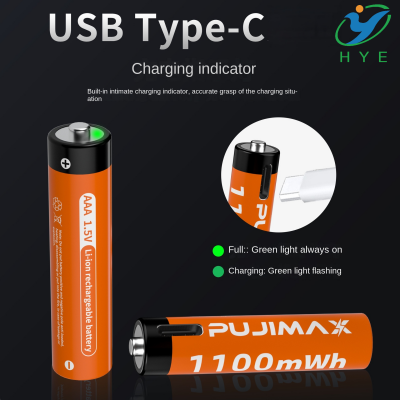
How to check the voltage of a USB battery
How Do I Tell the Voltage on a USB Battery?
If you’ve ever found yourself holding a USB battery and wondering how to tell its voltage, you’re not alone. Whether you’re dealing with a USB Type-C rechargeable battery or searching for a 100W 100000 mAh portable battery USB-C bulk buy, understanding the voltage of a USB battery is essential for ensuring that your devices stay powered safely and efficiently. The voltage tells you the amount of electrical pressure the battery can supply, which is crucial for matching it with the correct devices or power sources.
What is Voltage and Why Does It Matter?
Voltage is the measure of electrical potential difference between two points in a circuit, or simply, how much power the battery can push out to your device. Think of voltage as the "pressure" that pushes electrons through a circuit. Different devices require different voltages to operate, which is why knowing your battery’s voltage can save you from using a battery that doesn’t match the requirements of your gadget.
For USB batteries, the most common voltages you’ll encounter are 5V, 9V, 12V, and 20V. The USB Type-C connection, which has become the standard for modern charging and data transfer, is capable of handling higher voltages, like 20V in some cases, especially when you’re dealing with high-power applications such as the 100W 100000 mAh portable battery USB-C bulk buy.
How to Identify the Voltage on a USB Battery?
The easiest way to determine the voltage of your USB battery is to look at the labeling. Most batteries have their voltage printed on the label, often near the capacity and power rating. You might see something like “5V/2A” or “9V/3A” printed on the body of the battery, which gives you both the voltage (5V or 9V) and the current (2A or 3A) the battery can provide.
In some cases, the voltage might not be directly labeled. If that's the case, here are a few more methods you can use:
-
Check the Product Specifications: Most products, including 4AA battery replacement USB packs or larger portable batteries, will have a datasheet or product page that lists the voltage. If you’re buying in bulk or dealing with OEM products, the manufacturer’s technical specs are your best bet.
-
Use a Multimeter: For more advanced users, a multimeter can be used to measure the voltage directly. Simply set your multimeter to measure DC voltage, and place the probes on the positive and negative terminals of the USB battery. You’ll get an instant readout of the voltage being supplied by the battery.
-
Voltage Check Using a USB Tester: USB testers are small, handy devices that can be plugged between your battery and the device to show the real-time voltage and current being used. This method is especially useful when you’re dealing with devices like USB Type-C or larger batteries, as it will give you an accurate readout during operation.
Why Is Voltage Important for USB Batteries?
Each electronic device is designed to work within a specific voltage range. For instance, your phone might be designed to charge with 5V, while a laptop might require 9V or 12V. Using the wrong voltage could result in slow charging, damage to your device, or the battery not working at all. If you’re using a 100W 100000 mAh portable battery USB-C bulk buy, understanding the voltage is crucial to making sure it can safely power your high-demand devices.
Some batteries, like USB Type-C batteries, support a range of voltages depending on the connected device and the power requirements. This is especially important for fast charging, which is why USB Type-C cables are commonly used in conjunction with higher-capacity batteries to provide rapid power delivery to compatible devices.
How to Choose the Right USB Battery Voltage for Your Devices
When selecting a USB battery for your devices, you need to consider the voltage and ensure it matches the power requirements of your gadgets. Here’s a breakdown of common USB battery voltages and their typical applications:
-
5V: This is the most common voltage for devices like smartphones, tablets, and small electronic gadgets. Most USB batteries designed for everyday use will supply 5V, especially if they are meant for charging phones or powering small gadgets.
-
9V-12V: These voltages are typically found in larger power banks or chargers designed for higher-end devices such as laptops or larger tablets. When you opt for a USB Type-C charger, you’ll often find that it can support 9V or 12V for faster charging.
-
20V: High-power applications like laptops, high-capacity power banks, and large electronics may require a 20V supply, which is where USB Type-C excels. A 100W 100000 mAh portable battery USB-C bulk buy would likely feature this higher voltage to support such high-demand devices.
Voltage and Battery Life: The Power Tradeoff
Another important consideration is the relationship between voltage and battery life. Higher voltages generally correlate with higher power output, but they can also lead to faster battery drain. If you're opting for a 4AA battery replacement USB, for example, you're likely going for a more compact and less powerful solution. However, with larger capacity batteries such as those in USB Type-C or high-capacity portable chargers, you get a much longer battery life for devices that require higher power.
Understanding the voltage helps you balance the tradeoff between size, capacity, and the kind of power your devices need.
Conclusion: Why Voltage is Key to Choosing the Right USB Battery
In summary, understanding the voltage of your USB lithium battery is essential for matching it with the right device. Whether you’re working with a 100W 100000 mAh portable battery USB-C bulk buy for high-power devices or a 4AA battery replacement USB for smaller gadgets, knowing the voltage ensures that you are getting the most efficient and safe performance.
Voltage isn't just a number; it’s the key to keeping your devices powered properly. So, next time you're in the market for a USB battery, be sure to check the voltage first and choose wisely to keep everything running smoothly.
Why are CR123A batteries so costly
How long does it take to charge a Ryobi USB lithium battery