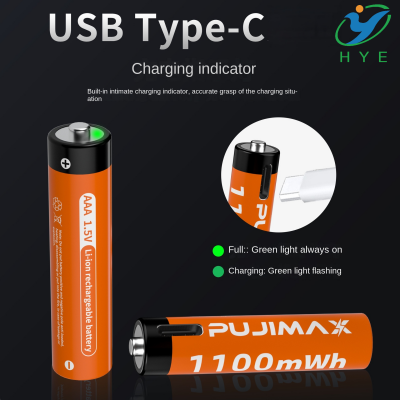
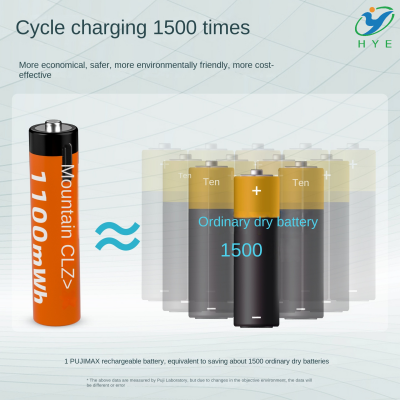
how to charge li ion battery with usb cable

How to Charge Li-Ion Battery with USB: A Comprehensive Guide
Charging lithium-ion (Li-ion) batteries via USB has become an increasingly popular and convenient method of powering various electronic devices. From portable gadgets to power tools, many modern battery-operated devices now feature USB charging options for ease and flexibility. But how does it work, and what should you know about charging a Li-ion battery through a USB interface?
Understanding Li-Ion Batteries
Li-ion batteries are widely used in consumer electronics because of their high energy density, lightweight, and long-lasting power capabilities. These batteries, when connected to a suitable charger, can deliver reliable performance for hours, whether in your smartphone, laptop, or power tools.
Charging these batteries traditionally involved specialized chargers for each device. However, the advent of USB charging has made life easier, providing a universal charging solution for various devices.
How USB Charging Works for Li-Ion Batteries
Charging a Li-ion battery via USB requires the right kind of USB charger that is compatible with the device. Typically, USB ports provide 5V, which is the standard voltage for most USB devices. However, to safely and efficiently charge a Li-ion battery, the charger and the device need to handle higher current levels, typically between 1-2A. The USB charging process for Li-ion batteries is governed by strict safety protocols to ensure the battery is charged correctly without risk of overheating or overcharging.
Step-by-Step Process for Charging a Li-Ion Battery via USB
-
Ensure the Device is Powered Off
Before you begin charging your device, ensure it is turned off or in a power-saving mode. This prevents energy drain while charging and maximizes the power going into the battery. -
Use a Compatible USB Charger
Make sure you are using a suitable USB charger for the battery pack you are charging. This can be a standard USB charger, or in some cases, a more advanced USB-C charger for faster charging speeds. -
Connect the USB Cable to the Charging Port
Insert the USB charging cable into the appropriate port of the device or battery pack. If the device uses a USB-C connection, make sure to use a compatible USB-C charger to avoid compatibility issues. -
Monitor the Charging Process
Modern Li-ion batteries often come with built-in charging protection circuits to prevent overcharging. While charging, keep an eye on the device to ensure the charging process is smooth. Some devices will show a battery indicator to display the charging progress. -
Unplug Once Fully Charged
After the battery reaches its full charge, unplug it from the USB charger to avoid overcharging. While many devices have automatic cut-offs, it’s good practice to disconnect the charger once the battery reaches 100% to preserve the battery’s lifespan.
Why Choose USB Charging for Li-Ion Batteries?
There are several reasons why charging Li-ion batteries via USB is advantageous:
-
Universal Compatibility: USB charging is widely accepted across various devices. Whether you're charging a battery pack USB, battery pack USB C, or even a Canon USB battery charger, the versatility of USB makes it easy to use one charger for multiple devices.
-
Convenience: USB ports are ubiquitous, found on almost all modern devices, including computers, power banks, and wall chargers. This provides a level of flexibility that other charging methods don't offer.
-
Cost-Effective: With USB charging, you don’t need to buy different chargers for each device. A universal best USB battery pack can be a one-stop solution for multiple devices.
-
Fast Charging Options: With advancements in technology, some devices are now capable of charging at faster rates using USB-C connections. Dewalt battery USB chargers are an example of power tools that benefit from quick USB-C charging.
What to Look for in a USB Charger
When choosing a USB charger for your Li-ion batteries, keep these factors in mind:
-
Output Voltage and Current
Ensure the charger provides the correct output for your battery. For most USB devices, this means 5V, but for some advanced models (especially those that use battery pack USB C), the voltage might go up to 9V or 12V for faster charging. -
Charging Speed
Some USB chargers, such as the battery tender to USB, provide fast charging technology that can significantly reduce charging time compared to older USB standards. Look for fast-charging specifications when purchasing a charger if speed is important to you. -
Safety Features
A good USB charger for Li-ion batteries will include overcharge protection, temperature control, and short-circuit prevention to ensure the battery and charger remain safe during the charging process. -
Compatibility
Ensure the charger works with your specific battery pack. For example, if you're using a Canon USB battery charger for your camera, make sure it’s designed for your Canon camera’s battery specifications. -
Portability
Many battery pack USB options are designed for portability, so you can charge your devices on the go, making them an excellent choice for people who travel often or need to keep their devices powered while away from home.
Popular USB Chargers for Li-Ion Batteries
Several USB chargers on the market are particularly well-suited for Li-ion batteries, offering a range of features to enhance the charging process. Here are a few options to consider:
-
Battery Pack USB
A compact and efficient way to charge various devices, these chargers are ideal for portable power packs. -
Battery Pack USB C
The USB-C connection has become the industry standard for many modern devices, providing faster charging and higher power output. -
Battery Tender to USB
This charger is designed for battery tenders that allow for slow, continuous charging, maintaining the health of your battery. -
Best USB Battery Pack
For people on the move, a best USB battery pack can serve as a great backup charger, ensuring your devices remain charged no matter where you are. -
Canon USB Battery Charger
Specially designed for Canon cameras, these chargers allow photographers to charge their camera batteries conveniently via USB. -
Dewalt Battery USB Charger
Ideal for professionals using Dewalt power tools, this USB charger provides fast charging and high-efficiency charging solutions.
Conclusion
Charging a Li-ion battery via USB is one of the easiest, most convenient methods available today. Whether you're using a battery pack USB, battery pack USB C, or other specialized chargers like the Canon USB battery charger or Dewalt battery USB charger, USB charging provides flexibility, safety, and speed. By choosing the right charger and understanding the process, you can keep your devices powered and ready for use, without the hassle of proprietary chargers or slow charging times.
how to charge milwaukee usb batteries
how to charge dji spark battery via usb