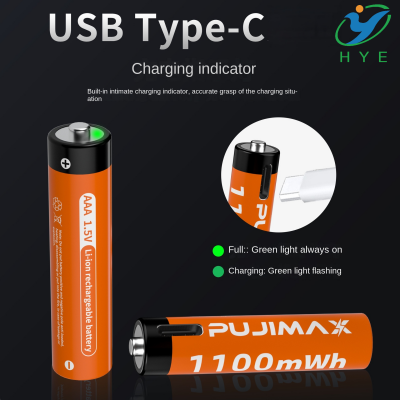
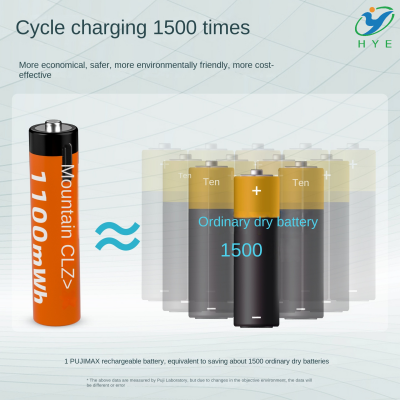
does always on usb drain battery
Does Always-On USB Drain Your Battery? Here’s What You Need to Know!
In today's fast-paced world, staying powered up is essential. Whether you're using a USB AA battery pack, a USB battery pack for a heated vest, or even a USB 3.7-volt battery charger, keeping your devices charged is a priority. But one question often arises: Does the "always-on" USB feature drain your battery? Let’s explore the facts and find out how to optimize battery life.
What Is Always-On USB?
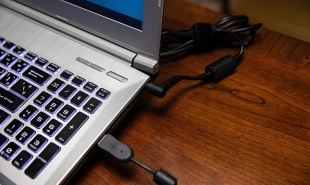
Many devices, including Lenovo laptops with the Always-On USB Lenovo feature, allow certain USB ports to remain powered even when the device is in sleep mode or turned off. This is useful for charging external devices like smartphones, tablets, and even USB battery packs (5V) without turning on the entire system.
But is this feature a silent battery drainer? The answer depends on several factors, including your device type, battery capacity, and how often you use it.
Does Always-On USB Drain Battery?
1. When the Device Is Plugged In
If your device is plugged into a power source, the Always-On USB feature won't significantly impact battery life. It simply diverts a small portion of power to external devices without affecting the internal battery.
2. When the Device Is Running on Battery
When using battery power alone, Always-On USB can cause a slight drain, but it’s usually minimal. The impact depends on:
-
The number of devices connected
-
The power consumption of those devices
-
The battery size of your laptop or power bank
For example, if you’re using a USB car battery charger or a USB charger from a 12V battery, the drain will be more noticeable because these require more power.
3. When the Device Is in Sleep Mode or Off
Some laptops and power stations still provide power through their USB ports even when off, which can gradually drain the internal battery. If you’re not actively using Always-On USB, disabling it in the BIOS or power settings can help conserve power.
How to Optimize Battery Life When Using Always-On USB
If you rely on Always-On USB but want to reduce unnecessary power loss, here are some tips:
1. Turn It Off When Not Needed
Most devices allow you to disable Always-On USB through BIOS settings or power management options. If you don’t need it, turning it off can prevent battery drain.
2. Use an External Power Source
Instead of draining your laptop battery, consider using a dedicated USB AA battery pack or a USB battery pack for a heated vest to charge your small devices.
3. Opt for Smart Power Management
Newer laptops and power banks offer smart USB ports that only supply power when a device is connected, helping reduce unnecessary drain.
4. Monitor Your Battery Usage
If you notice your battery depleting faster than expected, check for background power usage. Devices like a USB 3.7-volt battery charger or a USB charger from a 12V battery might be drawing power even when you’re not aware.
Final Verdict: Should You Worry About Always-On USB?
For the majority of users, Always-On USB is a highly convenient feature that offers flexibility without causing significant battery drain. However, if you frequently use it with multiple power-intensive devices, it’s advisable to manage your settings to maximize battery efficiency.
At HYE, we are experts in delivering premium rechargeable lithium battery solutions, including USB battery packs (5V) and USB AA battery packs, designed to provide reliable and efficient power for all your devices. Whether you need ODM & OEM services or cutting-edge battery solutions, we are here to meet your needs!
Searching for the ideal USB rechargeable battery solution? Discover HYE’s superior lithium battery products today!
does usb debugging drain battery
can you take usb battery pack on plane