Do wireless mice with USB use batteries
Does Wireless Mice USB Use Battery?
Yes, wireless mice that connect via USB typically do use batteries. Most wireless mice are powered by small internal batteries that can be either rechargeable or disposable. These batteries are essential for providing the necessary power to the mouse, allowing it to communicate with the computer wirelessly through the USB receiver or Bluetooth connection.
But why is this important to know, and how does it relate to the growing trend of USB-powered devices? Let’s dive into the details to explore how the technology works, why batteries are needed, and what alternatives are emerging in the market.
Understanding How Wireless Mice Work
Wireless mice have become an essential tool for many computer users, offering the freedom of movement without being tethered by a cable. These devices typically communicate with the computer through a small USB receiver, which is plugged into the computer’s USB port. The mouse then transmits data wirelessly via radio waves to the receiver.
The primary question, however, is how does the mouse get its power? Here’s where the battery comes in. Wireless mice generally use small, lightweight batteries—either rechargeable lithium-ion batteries or disposable alkaline batteries—that power the internal electronics and the wireless transmitter.
Types of Batteries Used in Wireless Mice
There are two primary types of batteries that can be found in wireless mice:
-
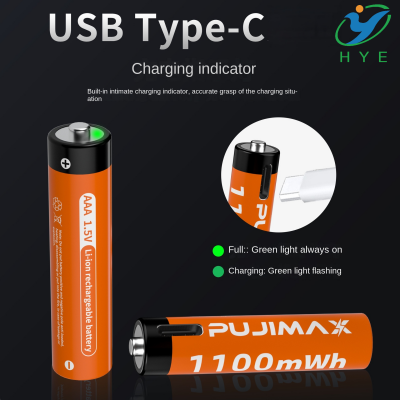
Rechargeable Batteries: Many modern wireless mice come equipped with rechargeable batteries. These batteries can be charged via a USB port or a USB charging cable, making it easy to keep the mouse powered up without needing to replace the batteries frequently. Some mice even come with a battery charge indicator through USB port, allowing users to check the charge status and avoid sudden power loss.
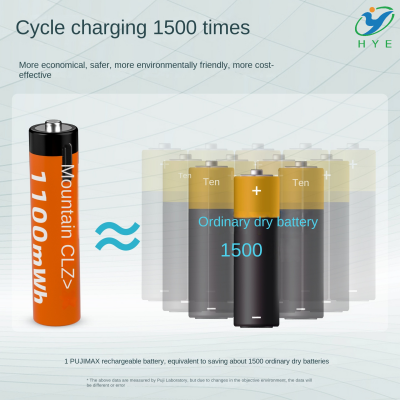
Rechargeable batteries are often more cost-effective in the long run since you don’t need to keep buying replacements. The added convenience of USB charging has made rechargeable wireless mice a popular choice for users who want sustainability and efficiency in their devices.
-
Disposable Batteries: On the other hand, some wireless mice still use disposable batteries, typically AA or AAA. These can be easily replaced when they run out of power. The main advantage of disposable batteries is their immediate availability and the fact that you don't have to worry about charging—just swap them out and continue working. However, this can become costly over time, especially if the mouse is used frequently.
Advantages of USB Charging for Wireless Mice
With the increasing prevalence of USB battery packs and USB charging in many modern devices, wireless mice have followed suit with the trend of offering USB C batteries for UV5R radios, cameras, and other electronics. USB charging has several key advantages:
-
Convenience: USB charging is incredibly convenient. With most devices, including USB C battery grips for cameras, you can easily plug in your wireless mouse to a USB port on your laptop, computer, or charging dock. No need to hunt down specialized chargers or worry about where to get new batteries.
-
Sustainability: By using USB rechargeable batteries, users reduce the number of disposable batteries they use, which is better for the environment. This is especially important in today’s world, where sustainability is a growing concern for consumers.
-
Cost-Effectiveness: While initial costs for rechargeable wireless mice may be higher than those that use disposable batteries, in the long run, rechargeable mice save money. You won’t have to keep buying new batteries, and the batteries themselves tend to last for a longer period of time, especially when used with a small battery pack with USB plug.
-
Charging Flexibility: Whether you use a USB C battery charger like the XTAR PB2S USB C battery charger or just a standard USB charging cable, having USB charging available means you have a lot of flexibility in how and where you charge your devices. Whether you're at home, at the office, or on the go, you can recharge your mouse easily from a variety of sources.
Why USB Charging Has Become the Standard for Wireless Devices
As USB technology continues to evolve, so does the way it powers our devices. The introduction of USB C technology has revolutionized charging, offering faster charge times and more efficient energy transfers. USB C batteries are not only seen in cameras but are also making their way into more consumer electronics, including wireless mice.
USB C offers several advantages:
-
Fast Charging: USB C can deliver more power and charge devices quicker compared to previous USB standards. This is particularly useful for users who don’t want to wait long periods for their wireless mouse to charge.
-
Universal Compatibility: With a USB C battery grip for cameras being standard across various devices, USB C charging has become universally compatible. This means fewer cables and adapters to keep track of, as USB C is becoming the go-to charging method for a wide range of devices, including wireless mice.
-
Better Power Management: USB C also enables better power management, which ensures that your wireless mouse won’t be overcharged, helping to preserve battery life.
How to Extend the Battery Life of Your Wireless Mouse
While batteries are essential for your wireless mouse, knowing how to extend the battery life can save you time, money, and frustration. Here are some tips to help you get the most out of your wireless mouse:
-
Turn Off When Not in Use: If your wireless mouse has a power switch, make sure to turn it off when you’re not using it. This will save battery power, especially during long breaks or overnight.
-
Use Energy-Saving Settings: Many modern wireless mice come with energy-saving modes. These settings will help the mouse enter sleep mode when it’s not in use for extended periods, thus conserving power.
-
Charge Regularly: For rechargeable mice, make sure to charge them regularly to avoid deep discharge, which can reduce battery life over time.
-
Avoid Extreme Temperatures: Batteries, whether rechargeable or disposable, can be sensitive to temperature extremes. Keep your wireless mouse in a moderate temperature environment to ensure maximum battery lifespan.
Conclusion
So, to answer the question: yes, wireless mice USB devices do require batteries, and the type of battery used can vary. Rechargeable batteries with USB charging ports have become more common, offering convenience, cost savings, and sustainability for users. Whether you're using a USB C battery for Canon LP cameras or charging a wireless mouse with a battery charge indicator through USB port, the ease and efficiency of USB charging have changed the way we power our wireless devices.
Ultimately, choosing a wireless mouse with USB rechargeable capabilities not only ensures you’re using a more eco-friendly and cost-effective option, but it also makes your life easier by cutting down on the need for disposable batteries. With modern charging solutions like USB C, the future of wireless
Does leaving a USB cable plugged into a car drain the battery
Why are CR123A batteries so costly